Free with every CopyThat and CopyThat Decorator license
PDFthat. $25 on its own. $0 with CopyThat.
A full PDF editor that runs on your PC. Read and search, highlight, draw, cover and retype, sign, fill a form or build one, OCR a scan so it becomes searchable, combine files, reorder pages, export to PNG. Offline, in its own window, and the document never leaves the machine.
Already yours if you bought CopyThat.
Same download link, a second signed installer. Windows asks you to choose it once — right-click any .pdf, Open with, Choose another app, pick PDFthat and tick Always. After that a double-click opens it here, and Save writes straight back to that file.
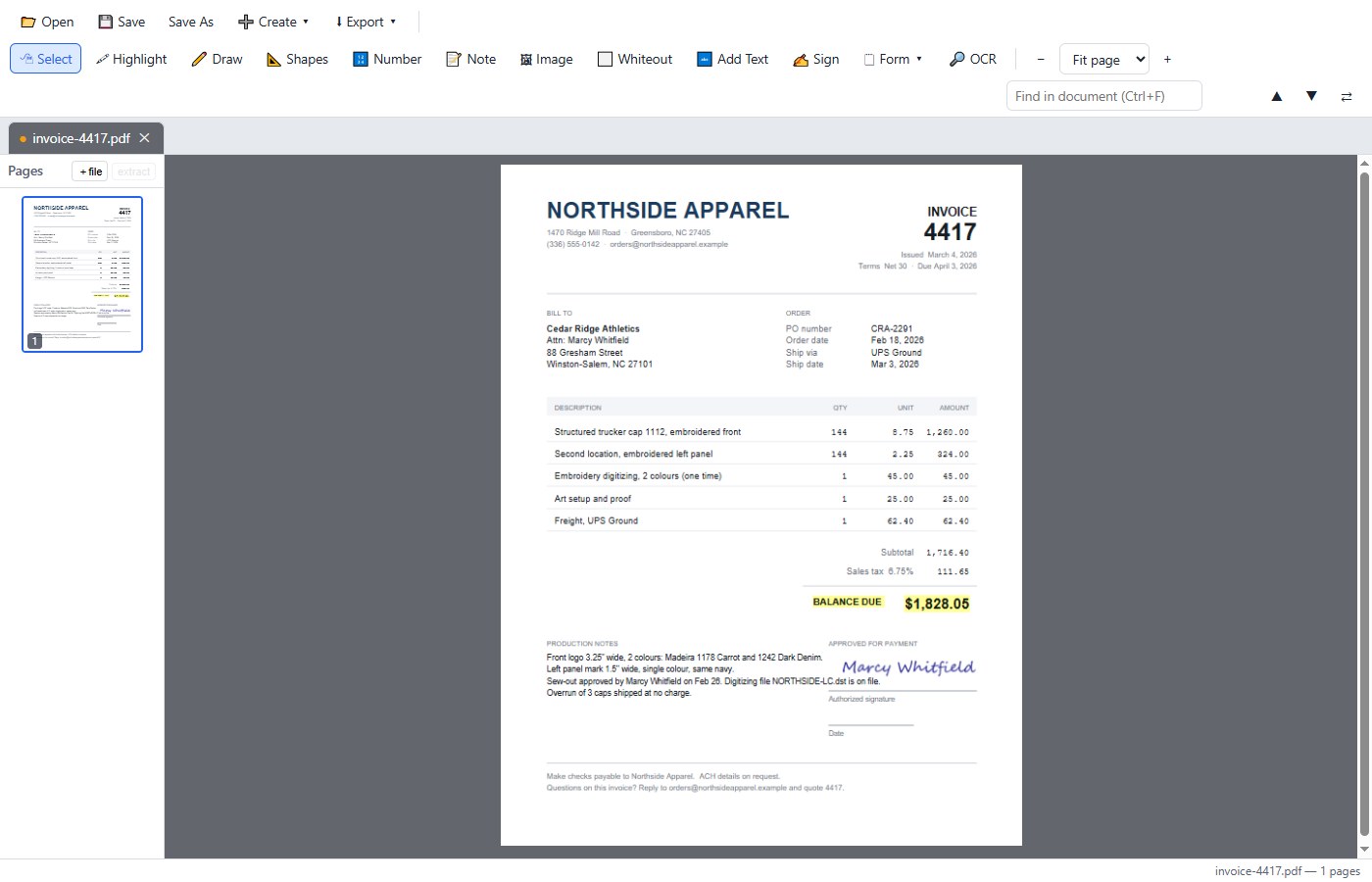
Everything it does.
The Acrobat jobs people actually do, in one window, with nothing uploaded.
Read and mark up
Real PDF annotations — Acrobat can reopen them.
- ReadCtrl+OContinuous scroll, zoom, search, text selection
- 🖍 HighlightSelect text; a real highlight annotation
- ✎ DrawFreehand ink, with colour and thickness
- 📐 ShapesLines, arrows, rectangles, ovals
- 🔢 NumberAuto-incrementing numbered circles
- 📝 NoteSticky-note text on the page
- 🖼 ImagePlace a PNG, JPG, WebP, GIF or BMP
Change the page
Cover-and-retype, the way it really works.
- ✋ WhiteoutA box or a free-drawn shape
- 🔤 Add TextType onto the page, any embedded font
- Edit existing textClick a line; the font auto-matches
- Find & replaceCtrl+FSearch, then ⇆ to retype it
- Thumbnail railReorder, rotate, delete, extract, insert
- UndoCtrl+Z12-step history for page edits
Sign, fill, build
The paperwork half of the job.
- ✍ SignDraw, type or upload; saved for reuse
- Fill formsNative fields; Save persists the values
- 🗋 Form ▾Text field, checkbox, radio, dropdown
- Build on any PDFEven one converted from Word
Convert and get it out
Offline, including the OCR.
- 🔍 OCRInvisible text layer; scans become searchable
- ➕ Create ▾Combine PDFs and images, drag to order
- Images → PDFAnd Word .docx, and plain .txt
- ⇩ Export ▾PNG at 72, 150 or 300 dpi
- Export textOr a flattened or rasterized copy
- SaveCtrl+SStraight back to the original file
Drag and drop anywhere: PDFs open, images become a PDF, a .docx starts the Word import. Esc goes back to Select.
What it will not do — said out loud.
- Reflow-editing existing body text does not exist here. Use Whiteout and Add Text; the font picker matches the original.
- PDF → Word is not practical on the machine. Export the text or the pages instead.
- Signing is a visual stamp, not a cryptographic certificate signature.
- OCR on a rotated page is positioned correctly but oriented horizontally.
Nothing goes anywhere.
It runs on 127.0.0.1 and opens as its own desktop window. The OCR is Tesseract, offline. There is no account, no sign-in and no upload — the document you opened is on your disk, and that is the only copy there has ever been.
Included copies register as a PDF opener: double-click a .pdf and it opens here, with Save writing back to that file.
The price
One price. Nothing hidden.
If you buy CopyThat, you already have this. It is the same download link and it costs nothing extra. The card below is for people who only want the PDF half.
PDFthat, on its own
$25once. No subscription, no account, no cloud. Windows 10 and 11.
- Every control on this page
- Yours forever — it never expires
- One license, one person
For Windows 10 and 11 only. Not available for Mac.
- Free with CopyThat. CopyThat is $39 once and includes this whole program. If the capture side is any use to you at all, that is the better buy. See CopyThat.
- Try it free for 15 days with the CopyThat trial, no card. Bought it? 15-day money-back guarantee, no questions asked. The installer is code-signed, so Windows knows exactly where it came from. Something wrong? Email support@copythatnow.com and a person will sort it out.
- No trial form on this page. The 15-day CopyThat trial includes PDFthat — take that instead and you will have both.
The short answers.
Is this really free with CopyThat?
Yes. Both editions include it, with no checkbox and no extra step: the same download link carries a second signed installer. CopyThat is $39 once. Buying PDFthat separately at $25 only makes sense if you will never take a screenshot.
Does a document ever get uploaded?
No. It binds to 127.0.0.1 and nothing is exposed to the network. The OCR runs offline on your machine. There is no account and no sign-in.
Can I edit the text that is already in the PDF?
You can cover it and retype it, and the font picker matches the original font and size for you — which is how every tool at this price does it. True reflow editing is not something this does; we say so above rather than let you find out.
Will Acrobat open what I make?
Yes. Highlights, ink, notes and image stamps are written as real PDF annotations, and Acrobat can reopen and edit them. Shapes, whiteout and added text are permanent page content.